Personal group texting for iPhone

Write it once.
Text each person.

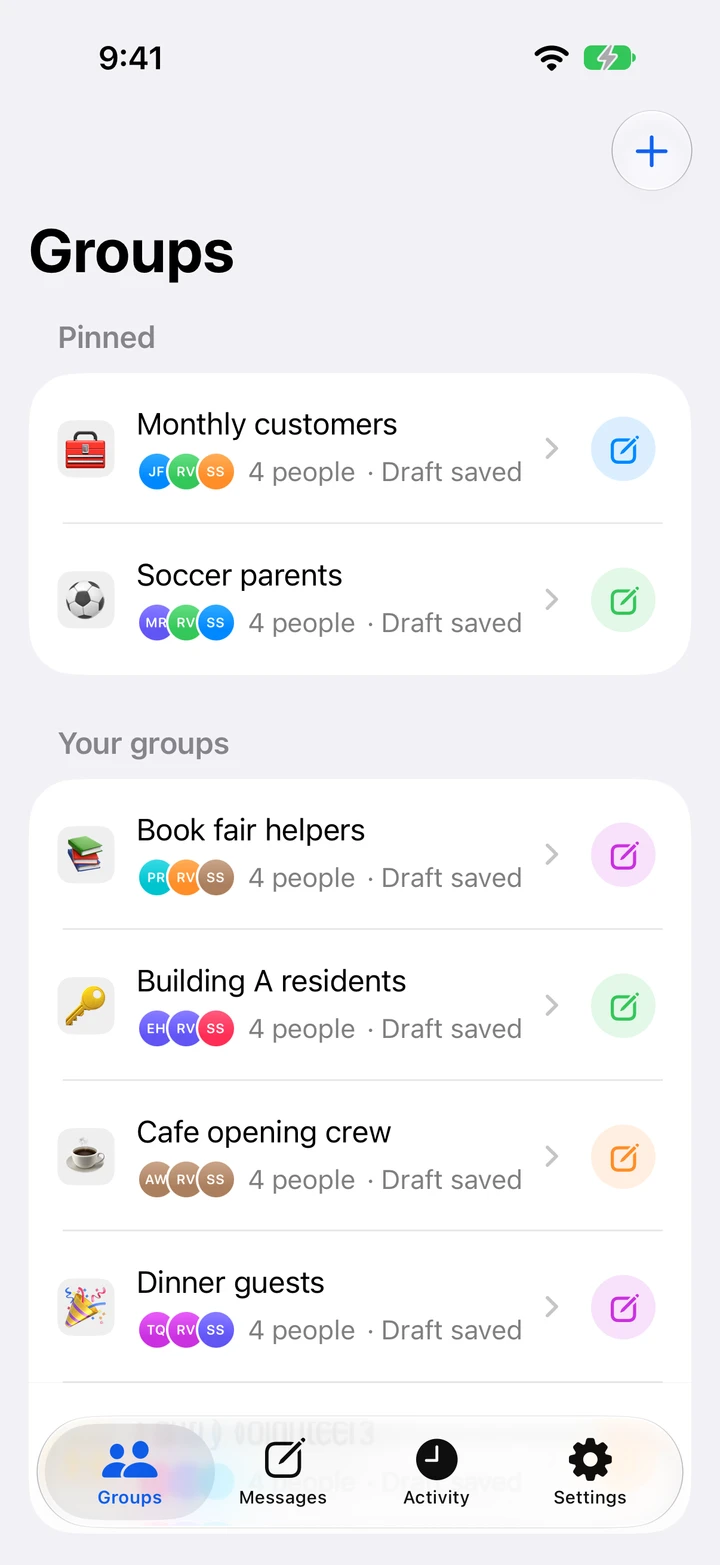
Send a personal text to everyone in a saved group. Each person gets their own conversation with you in Messages.

Download for iOS Download for Android

TextEach for Android

TextEach isn’t available for Android yet. I’d like to hear how you’d use it.

Manual sending is free · Automatic sending with Pro

Saved groups in TextEach, including Soccer parents and Monthly customers.
Individual message preview for Maya with an updated soccer game time.

Use cases

Who do you text together?

See what you could write and how it looks to one recipient.

Soccer parents

Get the new kickoff time to every parent.

Keep a group for your child’s team. When the game moves or practice is canceled, write the update once. Parents can reply directly about carpools, availability, or a late arrival.

Hi Maya, Saturday’s game moved to 10:30 at Riverside Park. Please arrive at 10:10 and bring both jerseys.

Saved groups
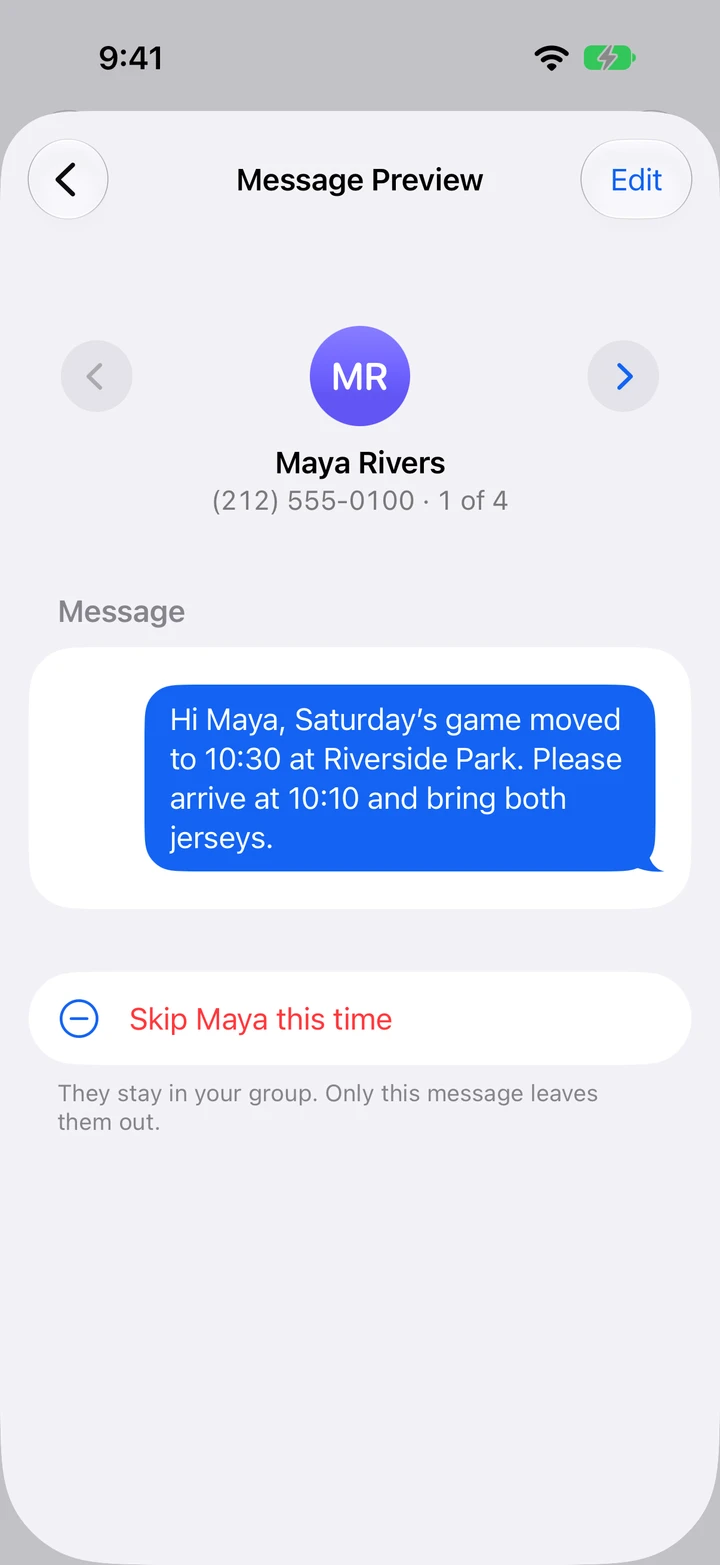
TextEach Message Preview for Maya in Soccer parents.
Monthly customers

Make monthly reminders feel personal.

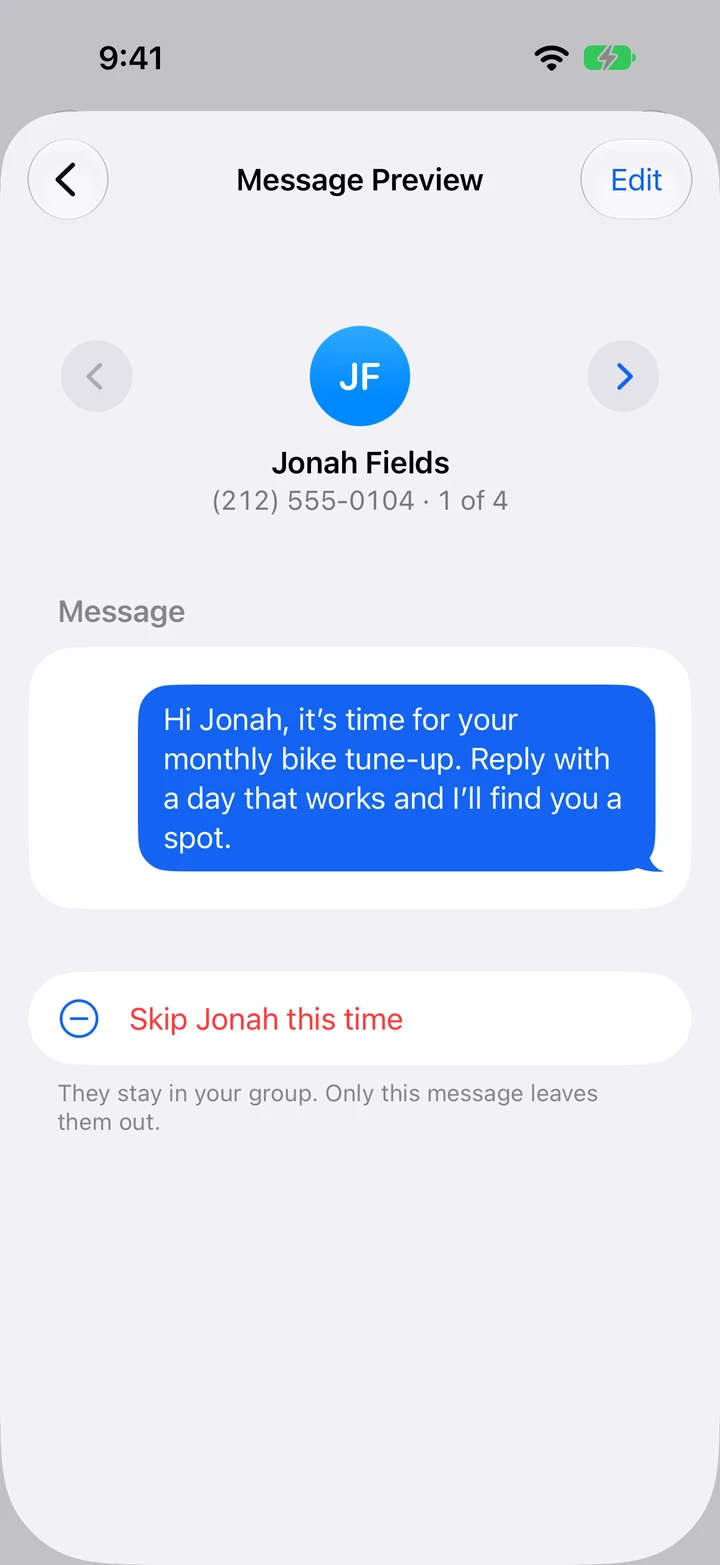
A bike shop can remind regulars to book their monthly tune-up. Set a free repeating reminder to send it yourself, or use Pro to send it automatically. Customers reply to pick a time.

Hi Jonah, it’s time for your monthly bike tune-up. Reply with a day that works and I’ll find you a spot.

Automatic recurring texts with Pro

TextEach Message Preview for Jonah in Monthly customers.
Book fair helpers

Get book fair helpers to the right door.

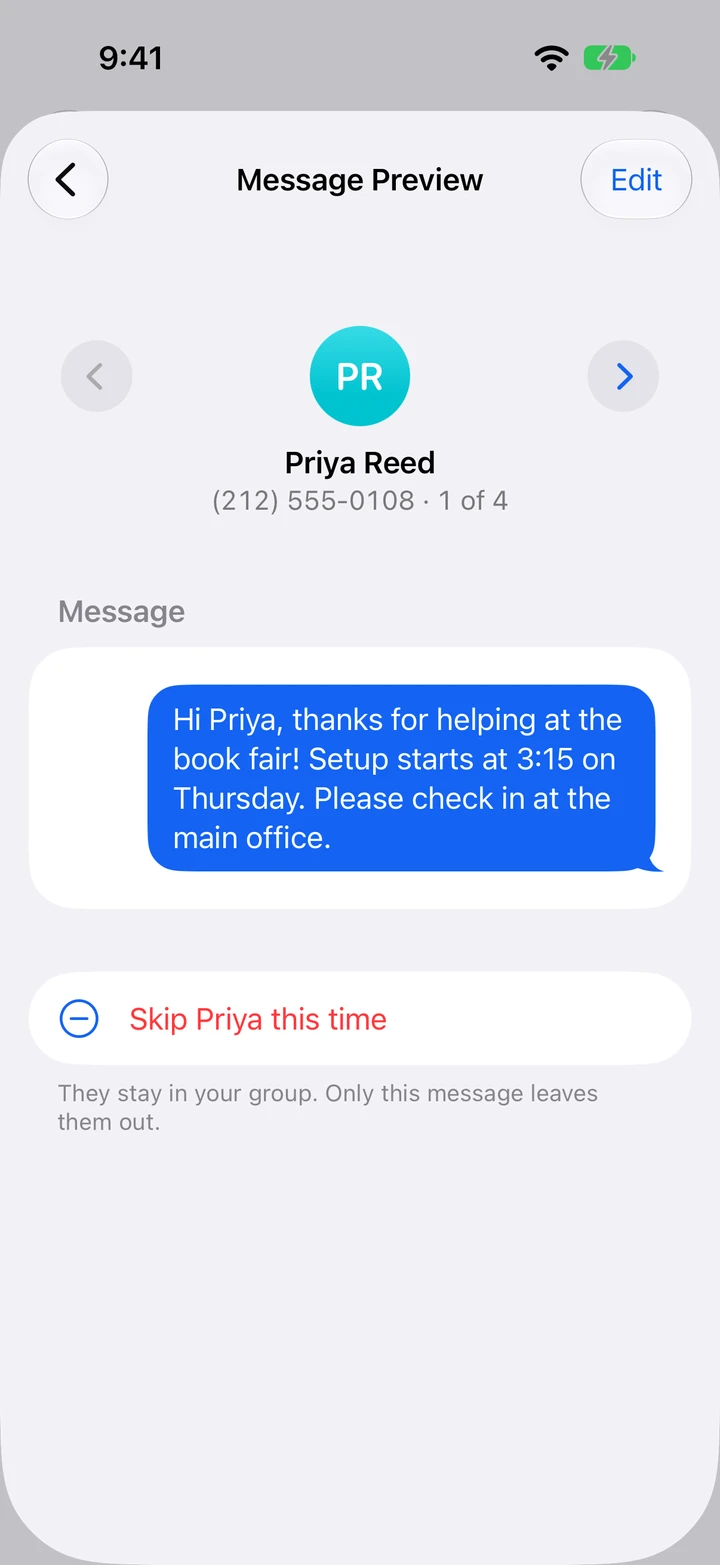
Put your setup volunteers in one group and send a quick arrival note. Parents can ask questions without their numbers being shared with everyone else.

Hi Priya, thanks for helping at the book fair! Setup starts at 3:15 on Thursday. Please check in at the main office.

One-on-one replies

TextEach Message Preview for Priya in Book fair helpers.
Pantry volunteers

Confirm who can cover the pantry shift.

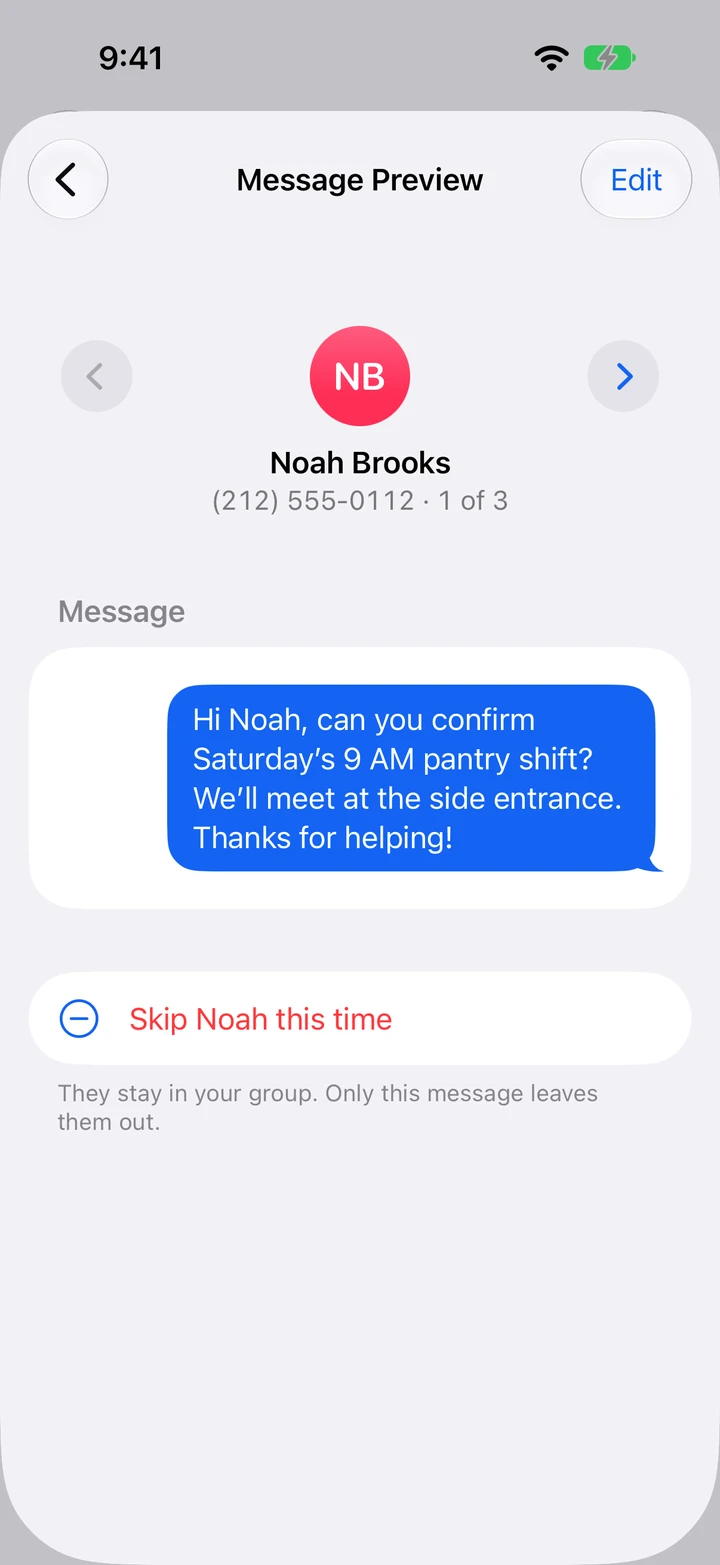
Send arrival details to the Saturday crew and ask for a quick confirmation. When only part of the roster needs the update, adjust the recipient list before sending.

Hi Noah, can you confirm Saturday’s 9 AM pantry shift? We’ll meet at the side entrance. Thanks for helping!

Recipient review

TextEach Message Preview for Noah in Pantry volunteers.
Building A residents

Give the affected residents a heads-up.

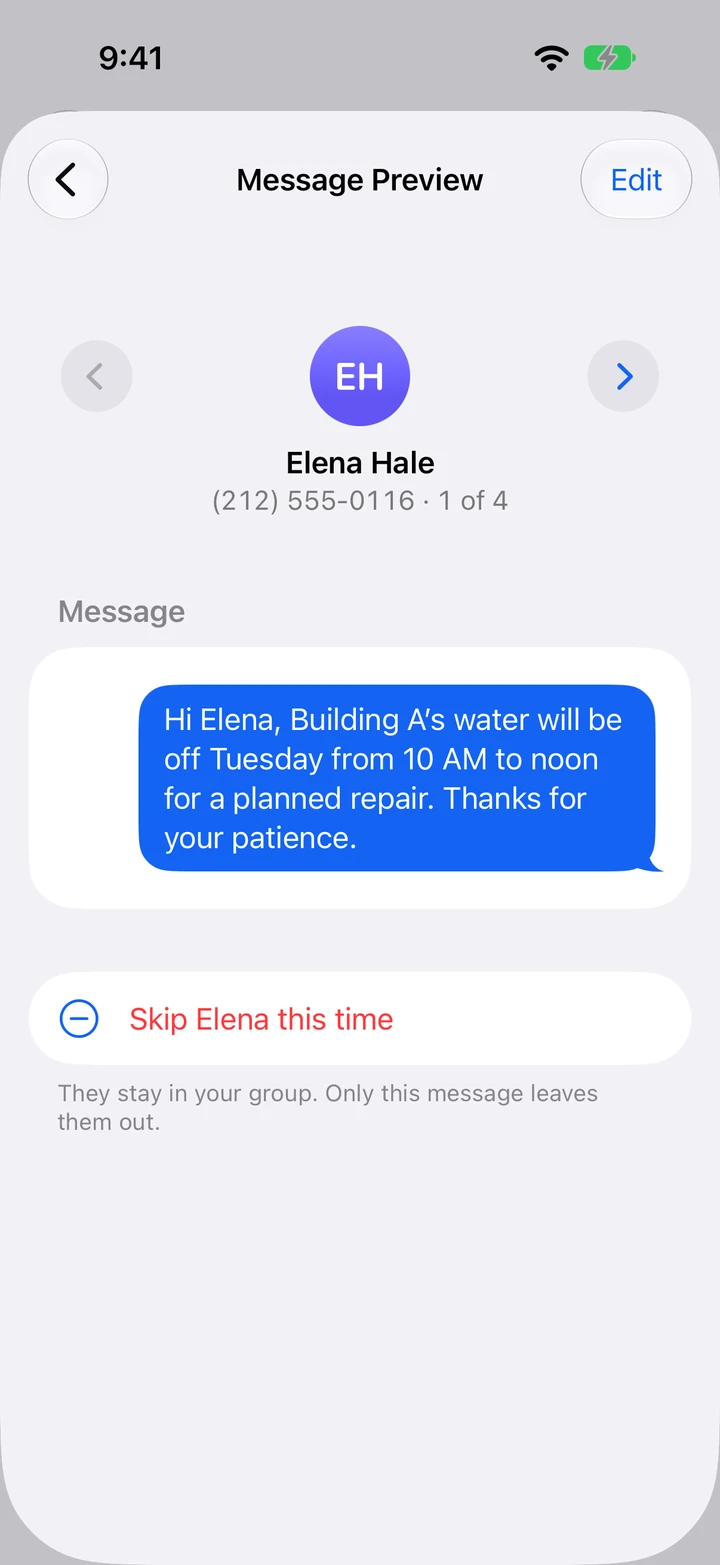
Keep a group for each building. Let residents know about a water shutoff or maintenance visit, and answer their questions one-on-one.

Hi Elena, Building A’s water will be off Tuesday from 10 AM to noon for a planned repair. Thanks for your patience.

Groups by building

TextEach Message Preview for Elena in Building A residents.
Dinner guests

Follow up on the RSVPs you still need.

Skip the guests who already answered and ask the rest to reply, so you can finalize the headcount.

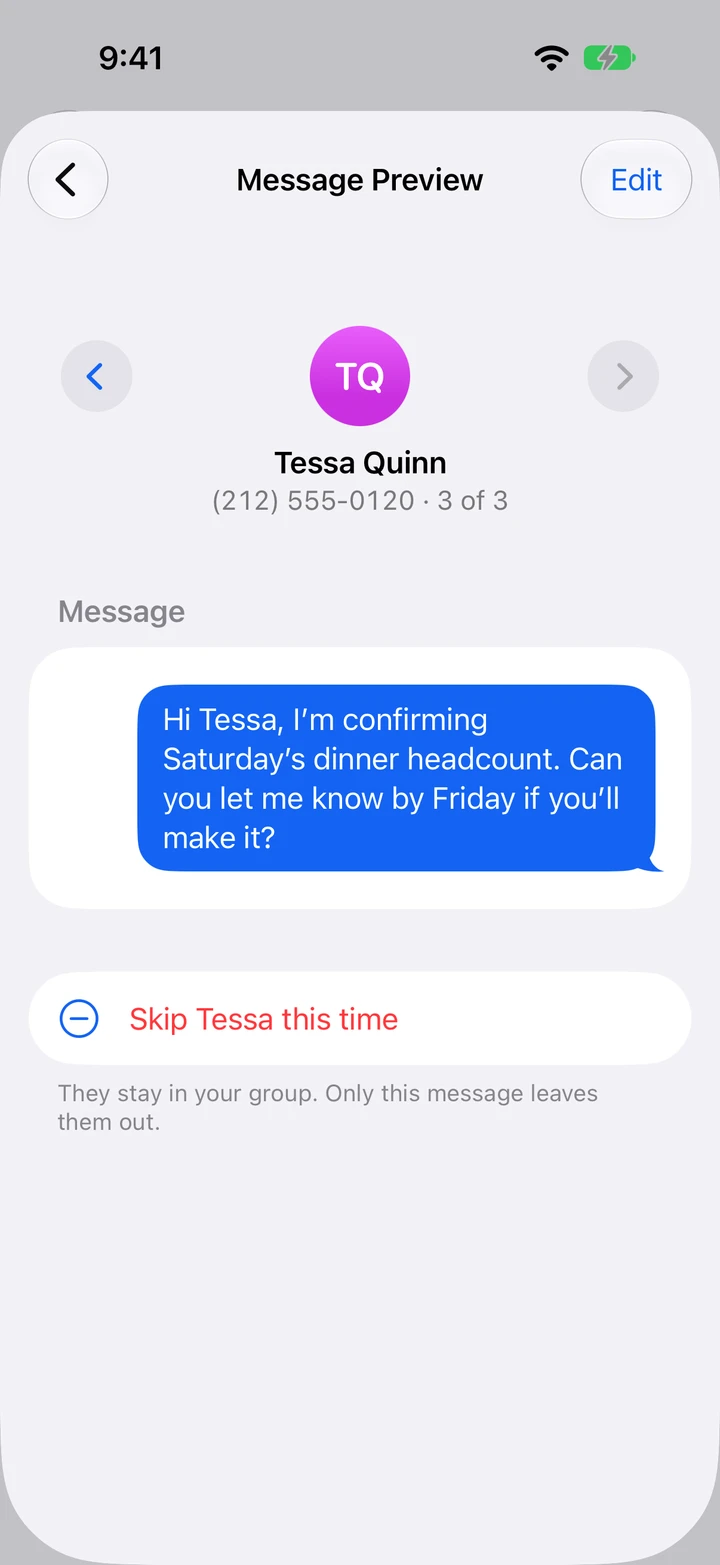
Hi Tessa, I’m confirming Saturday’s dinner headcount. Can you let me know by Friday if you’ll make it?

Per-message exclusions

TextEach Message Preview for Tessa in Dinner guests.
Cafe opening crew

Find someone to take an open shift.

Ask the opening crew who can cover an extra shift. Replies come back as separate conversations in Messages, so you can confirm with whoever takes it.

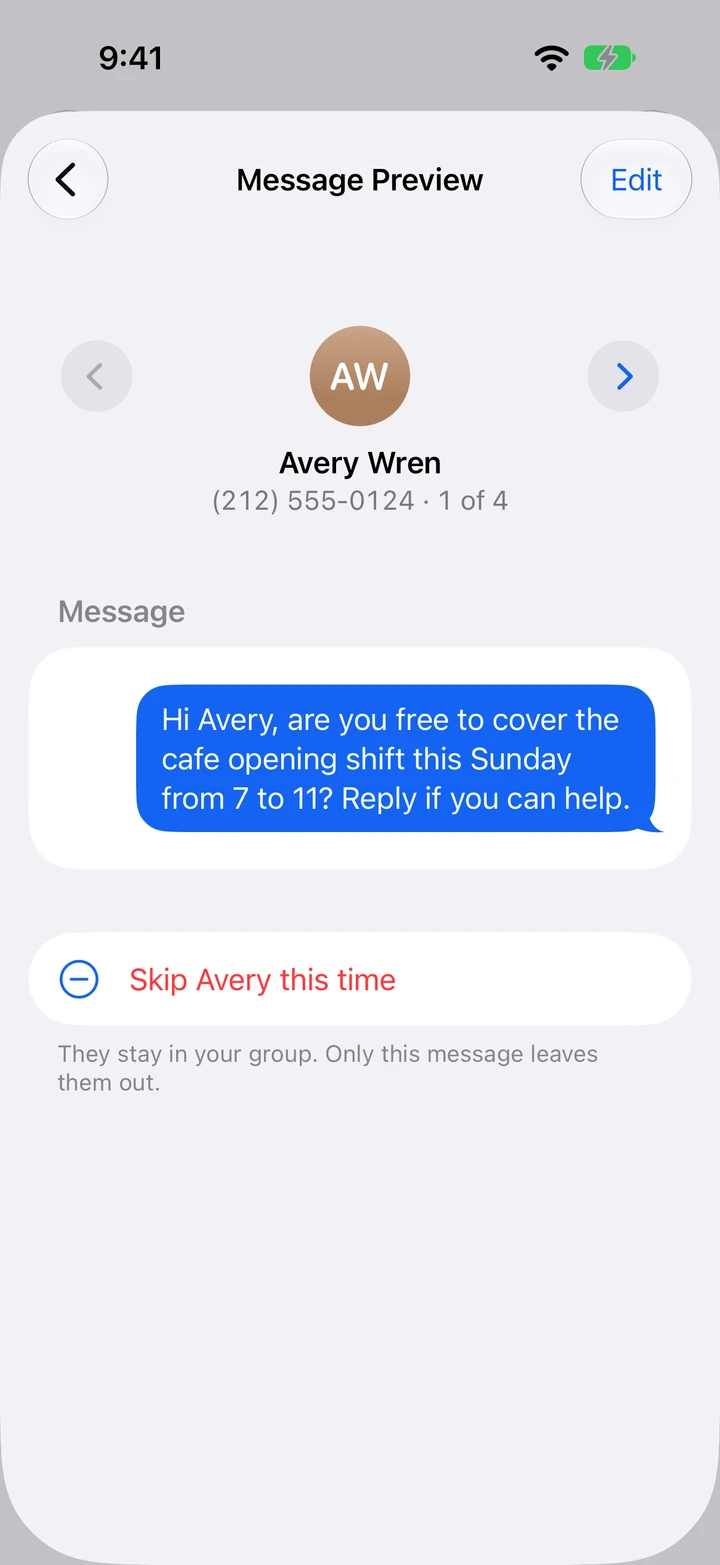
Hi Avery, are you free to cover the cafe opening shift this Sunday from 7 to 11? Reply if you can help.

Replies in Messages

TextEach Message Preview for Avery in Cafe opening crew.

How it works

From saved group to individual texts.

  1. TextEach Groups screen with saved groups for soccer parents, customers, and other contacts.

    Save your people

    Make a group once. Enter numbers, choose people from Contacts, or import a roster from CSV, Excel, or Google Sheets.

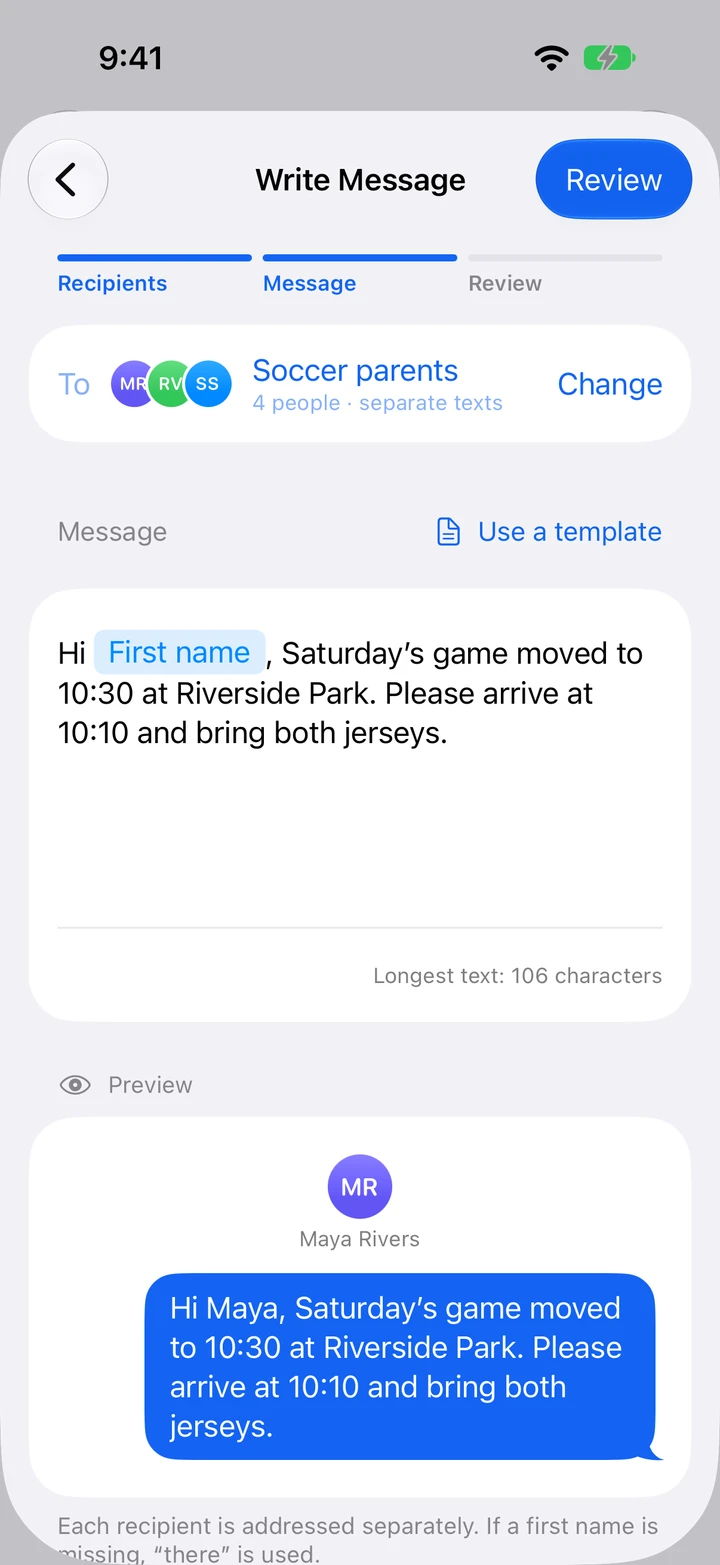
  2. Write Message screen with a first-name field and a note about a new soccer game time.

    Write one message

    Start with a blank message or a saved template. Insert each person’s first name so the same update reads like a personal text.

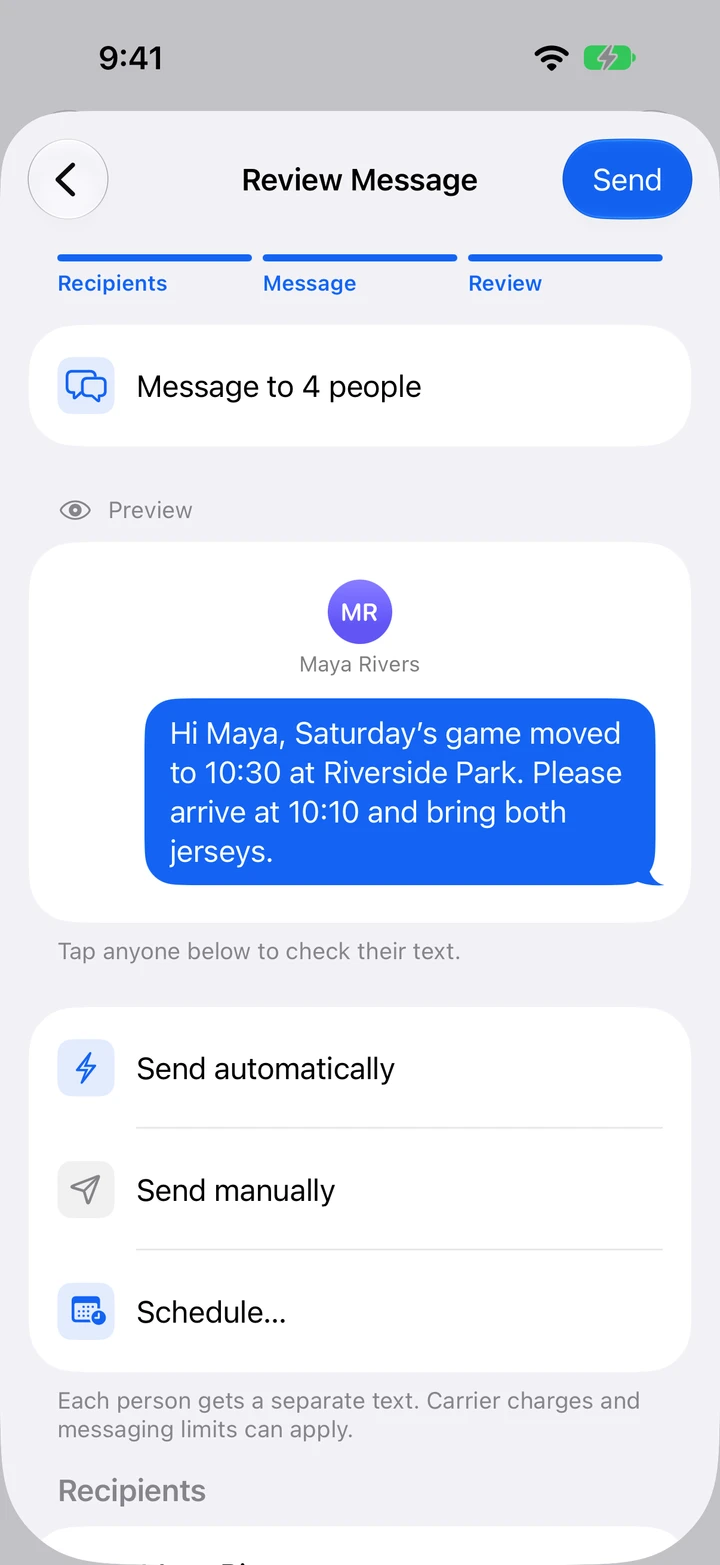
  3. Review Message screen with the selected soccer parents and options to send or schedule.

    Review and send

    Check each person’s text and skip anyone who shouldn’t get this one. Send each text yourself, or let Pro send them with Apple Shortcuts. Replies come back to Messages.

Pricing

Send manually for free. Go Pro to send automatically.

Free

$0 no time limit

  • Unlimited groups
  • Names, message fields, templates, photos and files
  • Import from Contacts, CSV, Excel and Google Sheets
  • Send to your whole group, one text at a time
  • One-time and repeating reminders
  • Private iCloud sync and backups

TextEach Pro

$4.99 / month

or $31.99 / year, or $99.99 once for lifetime

Eligible monthly and yearly subscribers can start with a one-week free trial.

  • Everything in Free
  • Send separate texts now with Apple Shortcuts
  • Schedule automatic texts once or on repeat

Features shown are for TextEach 1.0.5 and later. Prices are in U.S. dollars. The app shows your local price. The free trial is for eligible subscribers. Subscriptions renew until canceled.

FAQ

Before you send.

More answers on the Support page
Will everyone be in the same conversation?

Each person gets a separate message from your iPhone. Replies come back to you in Messages, and other recipients’ phone numbers stay private.

Can I text people on Android?

Yes. People on Android or iPhone receive a regular text and can reply in their usual messaging app. Only the sender needs TextEach on an iPhone.

What can I do for free?

Create as many groups as you need, personalize each person’s text, and send to your whole group one text at a time. You can also set one-time or repeating reminders for messages you’ll send yourself.

What does TextEach Pro add?

Pro sends each person a separate text for you, now or on a one-time or repeating schedule. Automatic sending uses Apple Shortcuts and requires one-time setup on your iPhone.

Does TextEach upload my address book?

No. You pick who to add, and TextEach never asks for access to your whole address book. Texts go out through Messages on your iPhone, not a TextEach server. Your groups sync through your own private iCloud account.

Keep the group. Text each person.

Free on the App Store. Requires iOS 18 or later.

Download on the App Store